# The Agent panel
> See what your agent is for, who calls it, what it can do, its test callers, its integrations and its widgets, all in one panel.
- Source: https://www.aui.io/help/agent-program/the-agent-panel
- Section: The agent's program
- Last updated: November 23, 2026
The Agent panel is a summary of the agent you have open: what it is for, who calls it, what it can do and what it is connected to. Open it when you join an agent someone else built, before you plan a change, or when you need a test caller's customer ID.
The **Overview** and **Widgets** tabs reflect the commit you have open, including any unsaved changes from the builder. The **Integrations** tab shows the integrations of the saved commit, so one the builder has added may only appear after you push.
## Open the panel
In the Agent Builder header, click **Agent panel** (the clipboard icon), or press ⌘ J (Ctrl J on Windows and Linux). The panel opens over the builder conversation. To close it, click **×**, press Esc, or press the shortcut again. The builder conversation is still there underneath.
## Overview
The **Overview** tab reads the agent's spec, the description the builder writes in its first build turn and keeps up to date as the agent changes. If the agent has no spec yet, the tab says **No spec yet**.
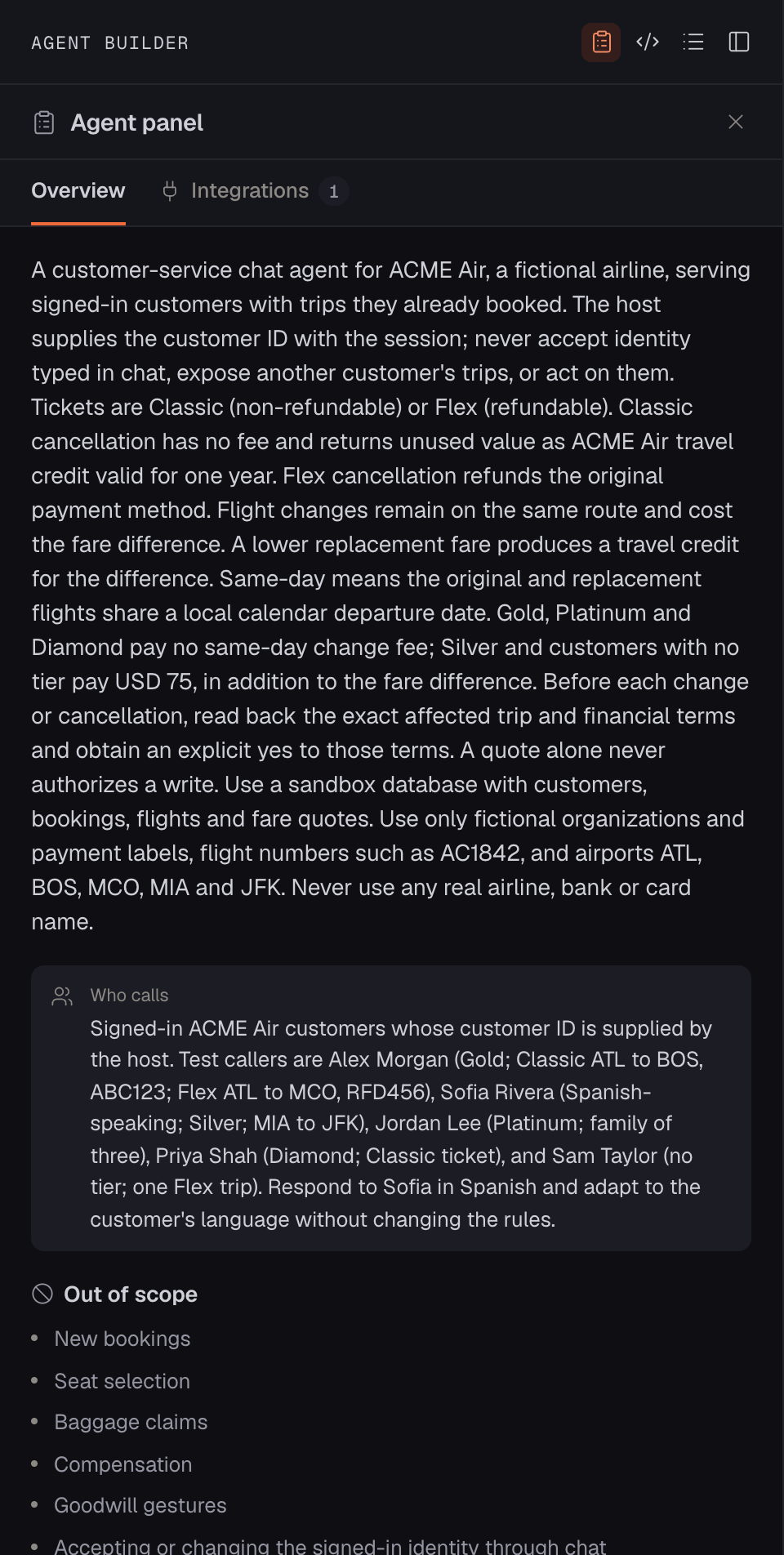
*The Overview tab: purpose, who calls and what is out of scope.*
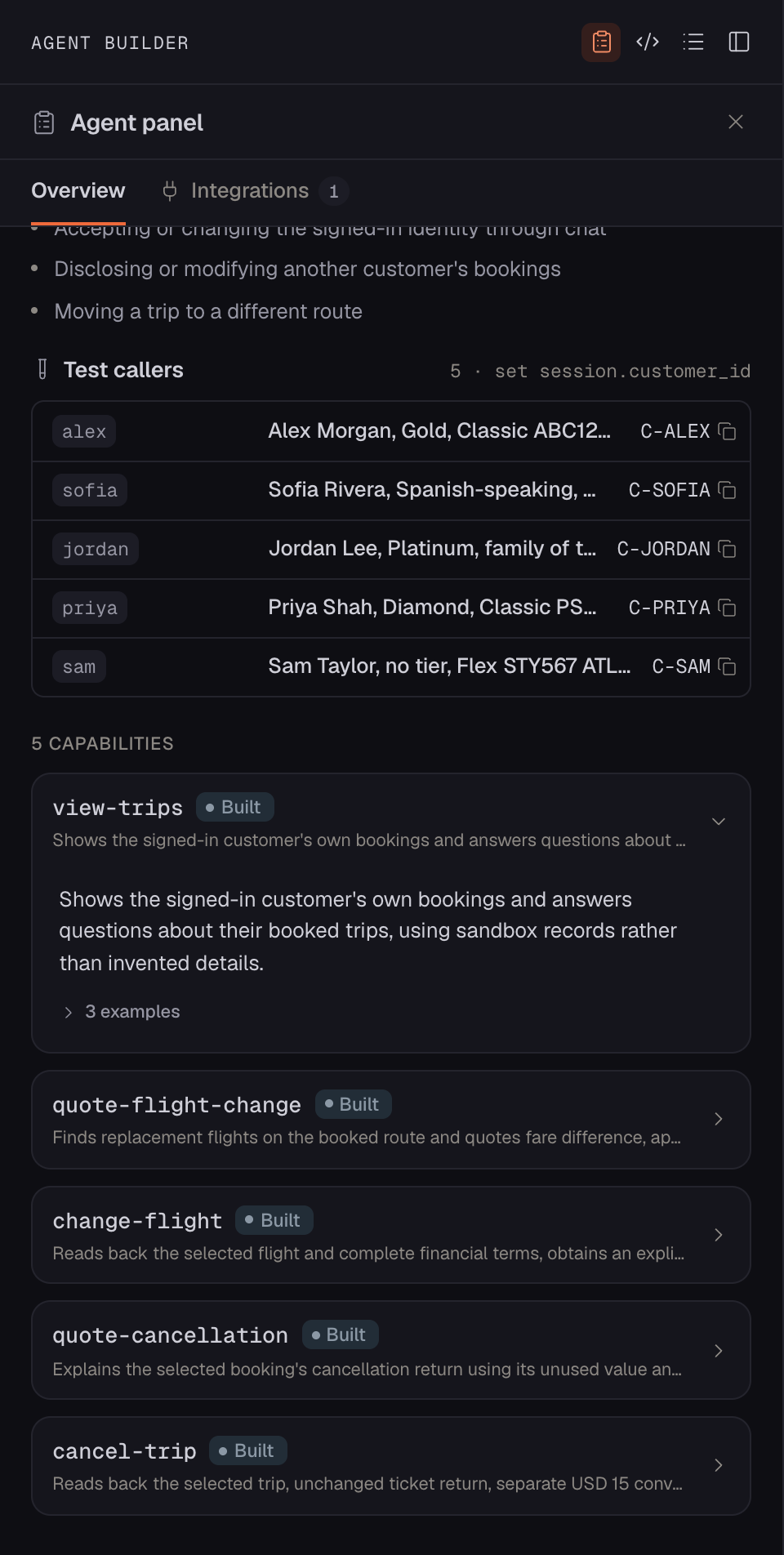
*Test callers and capabilities on the Overview tab.*
From top to bottom:
- **The first paragraph** is the agent's purpose, in the words it was described with.
- **Who calls.** The customers the agent is built to serve.
- **Out of scope.** What the agent deliberately does not do. Reading this list first saves you asking for a change that was ruled out on purpose.
- **Test callers.** Saved customers you can play in a conversation, one row each: a short name, who they are, and the value they send (for example their customer ID), with a button to copy it. The line above the table says how many there are and which agent variable each one sets, for example "6 · set session.customer_id". Click **Show all** to see the rest. See [Agent variables and test callers](https://www.aui.io/help/testing/agent-variables-and-test-callers).
- **Capabilities**, headed with their count (for example **9 capabilities**). One card per job the agent can do, such as `change-flight` or `explain-fees`, with what it does and a status:
| Status | Meaning |
|---|---|
| **Planned** | On the list, not yet in the program. |
| **Built** | In the program. |
| **Judged** | Passed in a graded run. |
Click a card to open it and read what it does in full. Click the examples count on an open card (for example **3 examples**) to see its worked examples, each with **Given** (the situation), **Caller** (which test caller, if any), **Asks** (what the customer says) and **Expect** (what the agent should do).
## Integrations
The **Integrations** tab lists every system the agent reaches, with the count on the tab: APIs, MCP tool servers, knowledge hubs and the [sandbox database](https://www.aui.io/help/integrations/sandbox-database). Click an integration to see how it connects and the operations it offers. For the sandbox database, **Open sandbox database** opens its tables.
While this tab is open, a **Secrets** button appears on the right of the tab bar. It opens the agent's vault, where credentials are kept by name. See [Integrations](https://www.aui.io/help/integrations/integrations-overview) and [Secrets and the vault](https://www.aui.io/help/integrations/secrets-and-the-vault).
## Widgets
The **Widgets** tab appears only when some of the agent's capabilities show a card in the conversation, such as a flight summary with the times and gate. Each row names the capability the card belongs to. A row may carry a tag:
- **Data only**: the card has fields but no design, so nothing is drawn in the conversation. An app that shows the agent's replies can still read the fields.
- **Edited**: the builder has changed this card and you have not pushed yet.
Click **Preview** on a row to open the card in the widget preview beside the panel. The preview uses real data when the open conversation has a card for that capability, and sample data otherwise.
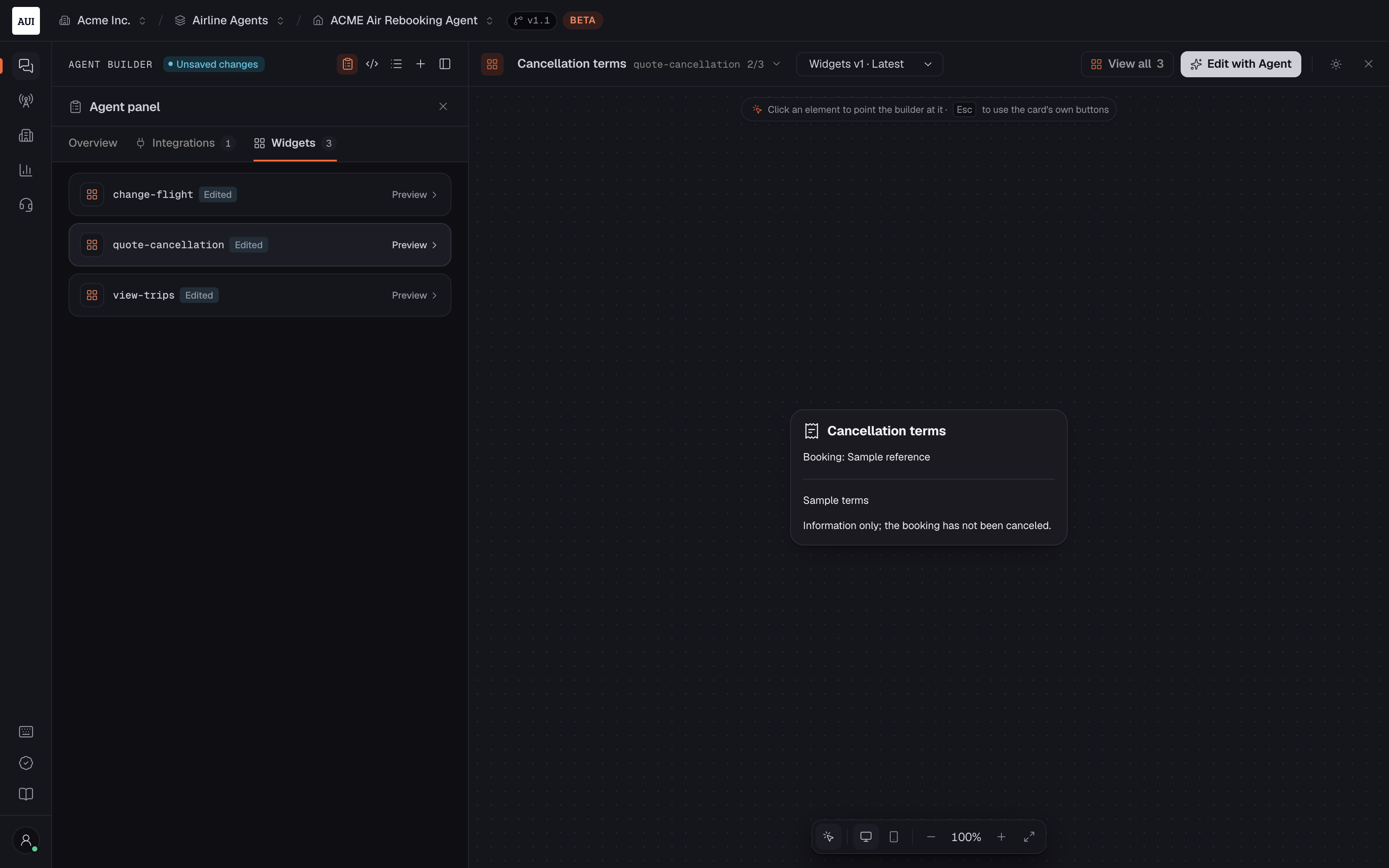
*The Widgets tab, with one card open in the preview.*
## Regressions and evaluations
To check that nothing broke or that a new behavior works across many conversations, ask the builder to run a regression or an evaluation. The result appears in the builder conversation. See [Run a regression or an evaluation](https://www.aui.io/help/evaluations/run-a-regression-or-evaluation).