# Secrets and the vault
> Store the credentials your integrations need in the agent's vault, where they are encrypted and never shown again.
- Source: https://www.aui.io/help/integrations/secrets-and-the-vault
- Section: Integrations and data
- Last updated: November 23, 2026
Integrations often need a credential: an API key, a token, a username and password. These are stored as secrets in the agent's vault, encrypted and kept apart from the program. An integration refers to a secret by its name, such as `ACME_BOOKINGS_TOKEN`. The value is used when the agent makes a call; it is never written into the program files, never part of a commit, and never displayed again after you save it.
Because only the name travels, you can share program files, commits, threads and builder sessions without exposing a credential.
## Open the vault
1. Open the **Agent panel** (⌘ J) and its **Integrations** tab.
2. Click **Secrets** at the right of the tab bar. You can also click a secret's name in an integration's details.
Each row shows the secret's name, its description, a masked preview of the value, and when it was last set. The back arrow returns to **All integrations**.
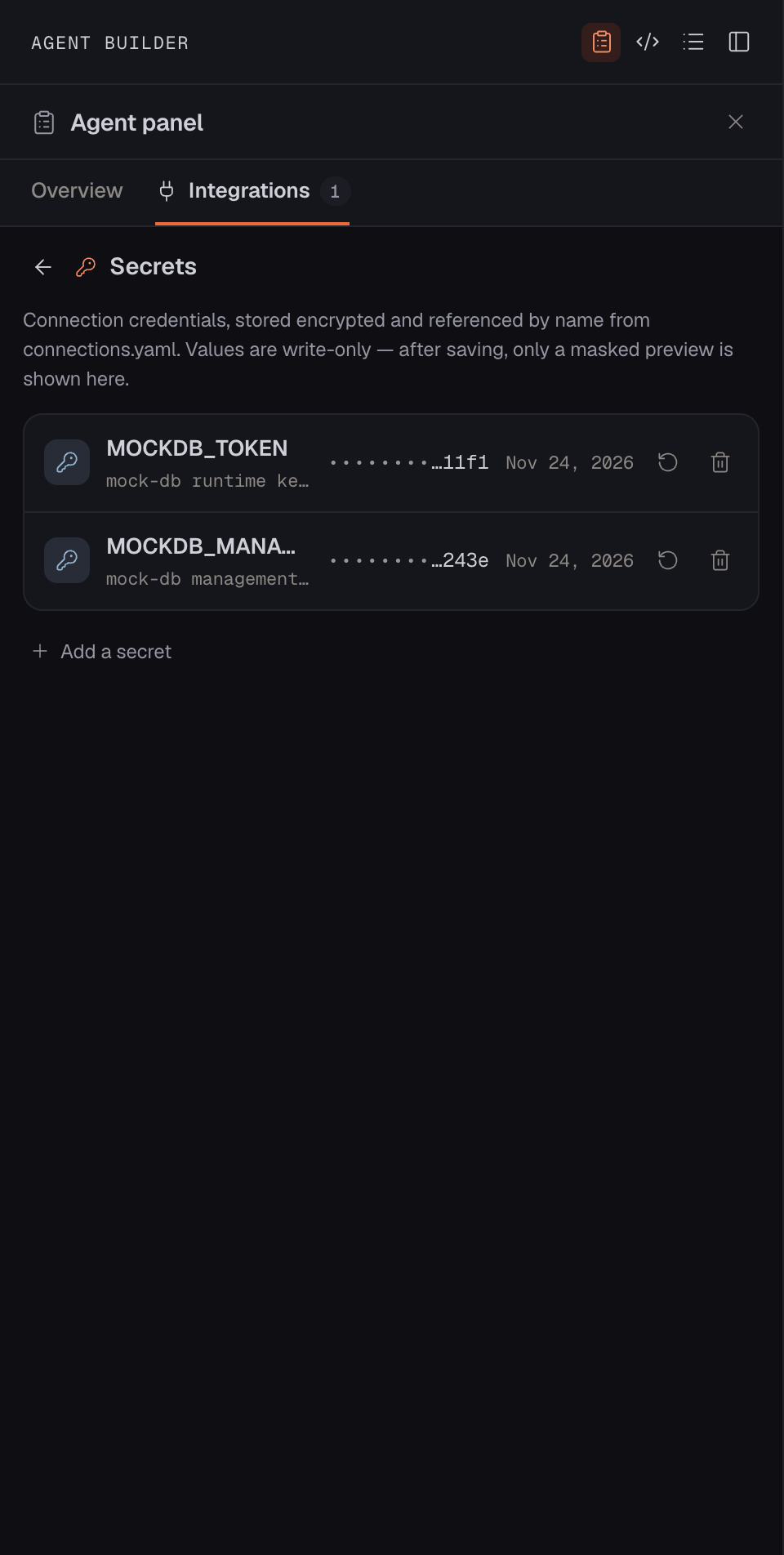
*Rows show a masked preview, never the value.*
## Add a secret
1. Click **Add a secret**.
2. In **Name**, enter the name the integration refers to, in uppercase with no spaces.
3. In **Value**, paste the credential. You can show what you type while entering it; once saved, it can't be read back.
4. In **Description**, optionally say what the credential is and where to find it, so a colleague can rotate it later.
5. Click **Save to vault**.
## When the builder asks for a secret
When the builder adds an integration that needs a credential, it pauses and shows a card in its conversation with a field for the value. Paste the value and click **Save to vault**, or click **Not now** to skip. The value goes straight to the vault and never appears in the conversation.
> [!WARNING]
> Never paste a credential into a message to the builder or into a Playground conversation. Messages are saved with the session or thread, where others on your team can read them. Use the secret card or the vault instead.
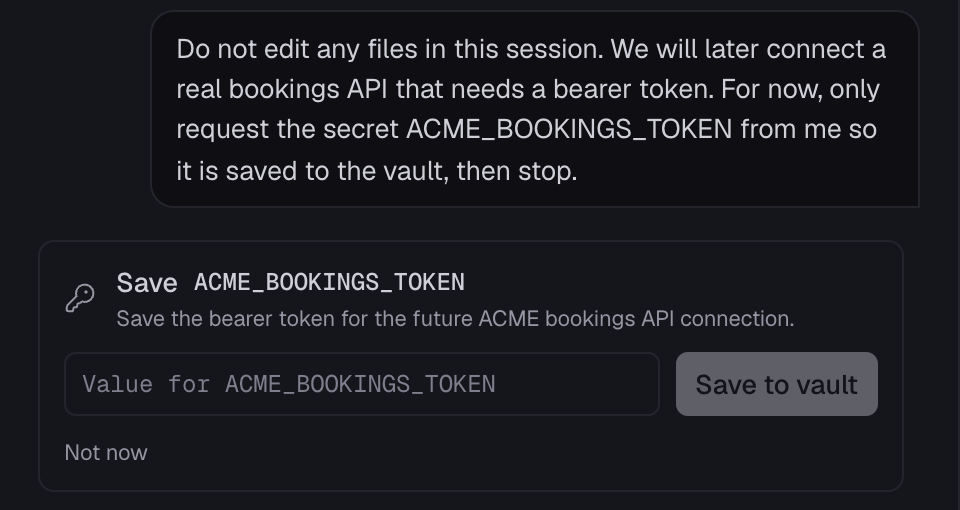
*The builder asks for a credential without it entering the conversation.*
## Check that an integration has its secrets
In an integration's details, each secret name shows **Set** when the vault holds a value under that name and **Missing** when it doesn't. A call through an integration with a missing secret fails. If the integration needs a credential it doesn't name at all, the row shows **Add to vault**. See [Integrations](https://www.aui.io/help/integrations/integrations-overview).
## Rotate a secret
1. Click **Rotate value** on the secret's row.
2. Enter the new value. Leave it blank to keep the current value, for example when you only want to change the description.
3. Click **Save**.
The agent has one vault for its secrets. When a credential changes in the other system, rotate it here too.
## Delete a secret
1. Click **Delete** on the secret's row.
2. Confirm.
The vault refuses to delete a secret while the agent's integrations still refer to it. Ask the builder to remove or change the integration first.
## From the CLI
The same vault is available with `apollo vault`, which lists secrets masked and sets values from your terminal. See the [command reference](https://docs.aui.io/cli/commands).