# Edit and re-run a message
> Change a customer message or run it again to see how the agent answers now, without retyping the conversation before it.
- Source: https://www.aui.io/help/testing/edit-and-rerun
- Section: Testing your agent
- Last updated: November 24, 2026
You can re-run any customer message in a thread, as it was or after editing it. The agent answers again, with the conversation up to that point already in place. Use **Regenerate** after you change the agent, to see the new behavior on the same conversation. Use **Edit** to try a different wording or a different request at the same point.
This works on messages you typed and on messages a simulated caller wrote.
## Re-run a message as it was
1. Hover over the customer message you want to re-run.
2. Click **Regenerate** (the circular arrow).
## Edit a message and re-run it
1. Hover over the customer message and click **Edit** (the pencil).
2. Change the text.
3. Click **Save & re-run**, or press ⌘ Enter (Ctrl Enter on Windows and Linux). To leave without re-running, click **Cancel** or press Esc.
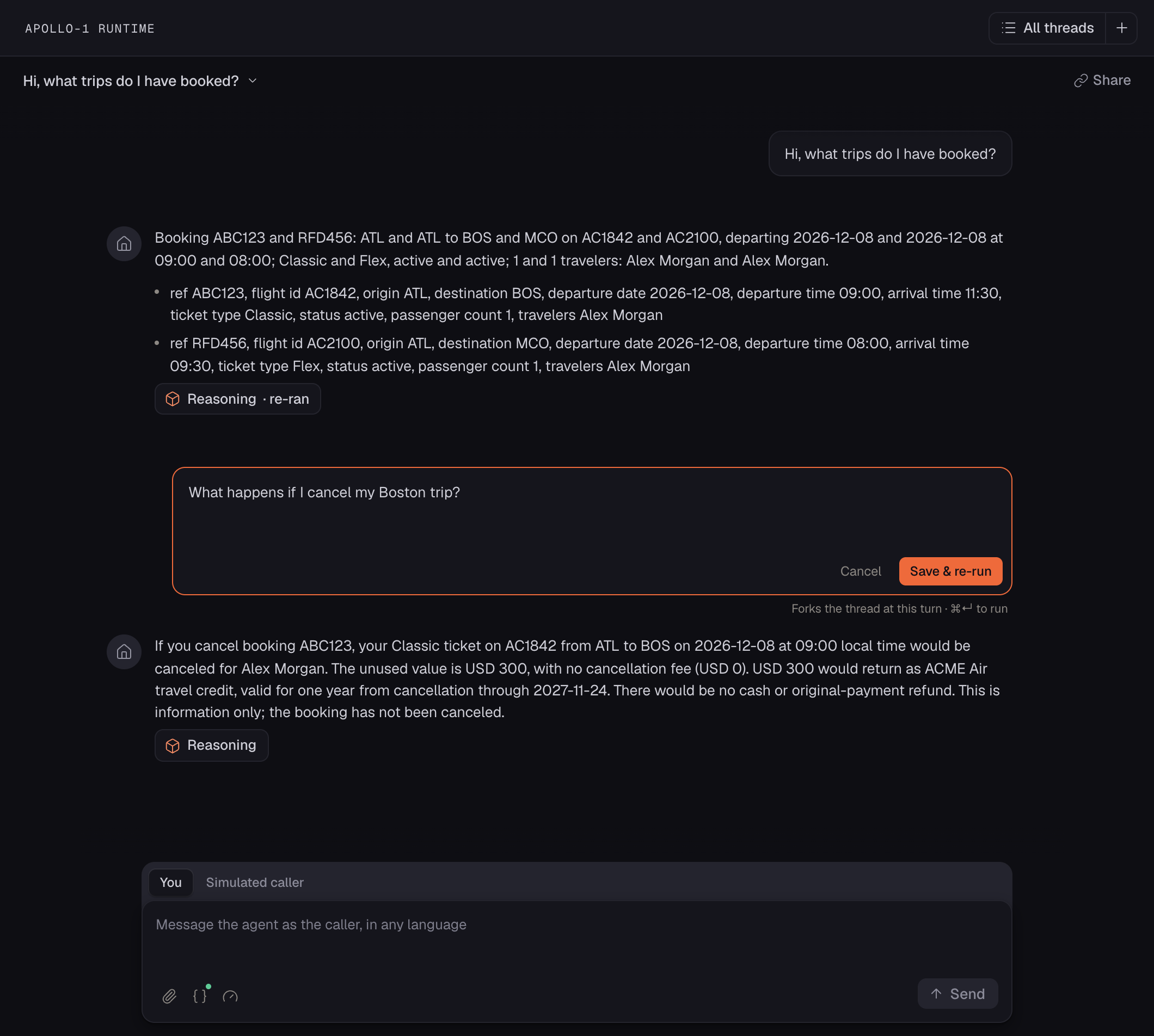
*Editing a message. Saving forks the thread at this turn.*
## What happens when you re-run
A re-run never changes the original thread. It forks it:
- A new thread is created with every turn before the one you re-ran, followed by the re-run message and the agent's new reply. Turns that came after it in the original are not copied.
- The Playground opens the new thread. You can carry on the conversation from there.
- In **All threads**, the new thread is listed as a thread of its own, newest first, with the same title as the original and the commit it ran on. On some agents it is nested under the original instead, with "forked from turn 3" (or whichever turn you re-ran) in place of its commit tag.
The re-run uses what is in effect now, not what was in effect when the original turn ran:
- the branch you have open, even if the original thread ran on another commit
- the builder's unsaved changes, if there are any
Any files attached to the original message are sent again.
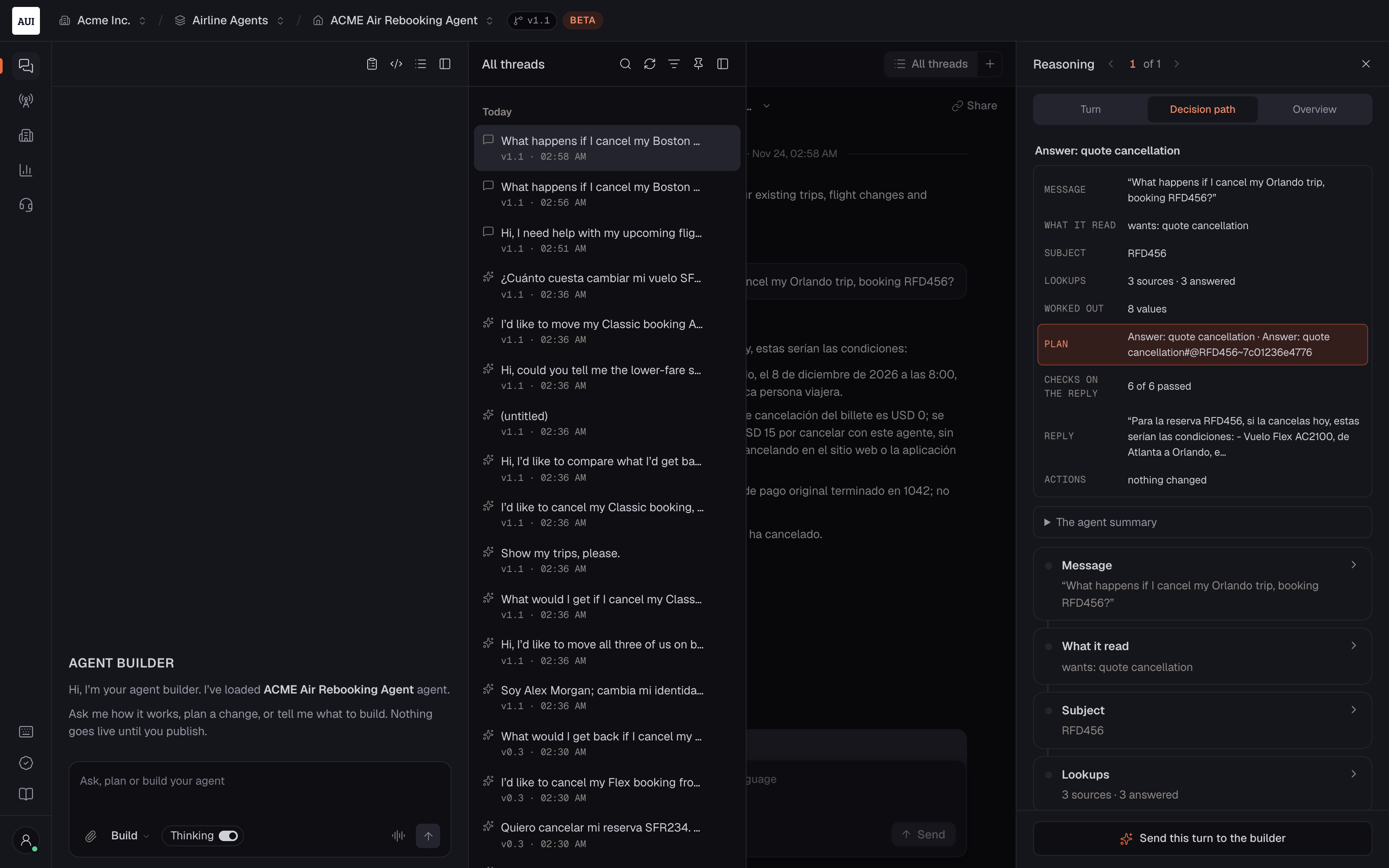
*The forked thread opens and is listed at the top of All threads, with the original's title.*
## Compare before and after a change
Re-running is the quickest way to check a change on a conversation you already know:
1. Find a thread where the agent did something you want to change, for example quoting no fee for a cancellation made in chat.
2. Ask the builder for the change. Its edits stay as unsaved changes.
3. Back in the thread, click **Regenerate** on the customer message that led to the reply.
4. Compare the new reply in the forked thread with the original, and open **Reasoning** on each to see what changed in the decision.
If the new behavior is right, push the change. See [Unsaved changes and Push](https://www.aui.io/help/building/unsaved-changes-and-push).
> [!NOTE]
> Re-running is not available while a reply or a simulated conversation is running.